
How to Get the Most Out of Your Krisp Experience: Tips, Tricks, and Hidden Gems
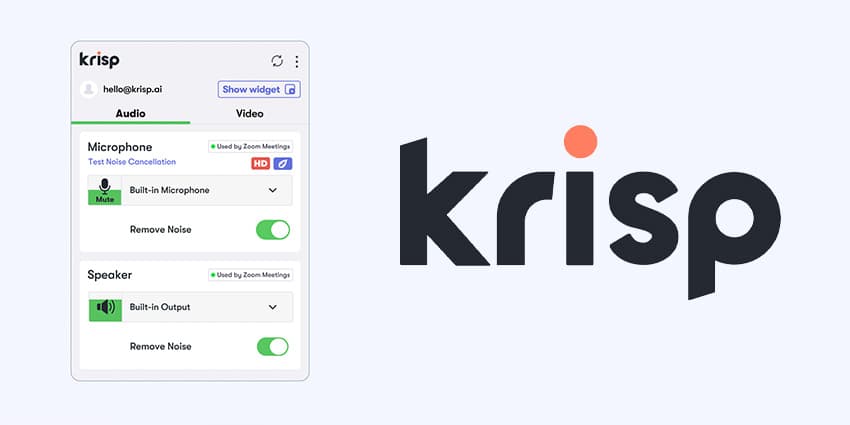
Remote work and hybrid meetings have made crisp, clear audio a non-negotiable professional requirement. Krisp has become the go-to AI app for muting barking dogs, construction noise, and coffee shop chatter in real time. But Krisp does much more than just silence background chatter—it acts as an end-to-end meeting assistant.
Here is how to set up, fine-tune, and get the maximum performance out of Krisp for your daily calls.
1. Configure Your Input and Output Correctly
The most common mistake users make with Krisp is setting audio devices incorrectly inside their meeting app (Zoom, Teams, Google Meet, or Slack).
- The "Virtual Bridge" setup: In your meeting app's settings, set the Microphone to Krisp Microphone and the Speaker to Krisp Speaker.
- Select physical hardware in Krisp: Open the Krisp widget itself and select your actual physical headset or USB mic. This ensures the AI sits right between your mic and your app.
2. Master Voice Cancellation vs. Background Noise Removal
Krisp uses AI models trained to distinguish between human voices and non-human noises.
- Noise Cancellation: Toggling this on removes background sounds like keyboard typing, fans, traffic, and room echoes.
- Background Voice Cancellation: Premium tiers include bi-directional voice cancellation, which isolates your specific voice and silences secondary human voices speaking around you in an open office or living room.
3. Leverage AI Meeting Notes & Transcripts
Krisp isn't just an audio filter—it’s an automated note-taker.
- Automatic Transcription: Turn on Krisp's bot-free transcription feature to generate accurate scripts of your meetings without needing a visible recording bot in the call room.
- AI Summaries & Action Items: Use the post-meeting dashboard to automatically generate key takeaways, discussion points, and assigned tasks, saving you hours of post-call manual entry.
4. Monitor Your Accent & Meeting Insights
Krisp offers analytics to help improve overall communication over time.
- Talk-Time Ratio: Review your personal dashboard to see your balance between speaking and listening during team calls.
- Accent Localization (Beta features): For global teams, Krisp’s underlying technology actively works to smooth out audio artifacts and improve clarity across international connections.